Stack
Every frame, and exactly where you are.
Visual debugger · Python 3.14+
yathaavat is a visual debugger for Python that lives in your terminal — stack, source, locals, exceptions, and asyncio tasks in one cockpit. Launch it, connect to it, or safely attach. Keyboard-first, at home over SSH.
$curl -fsSL https://yathaavat.pages.dev/install | sh
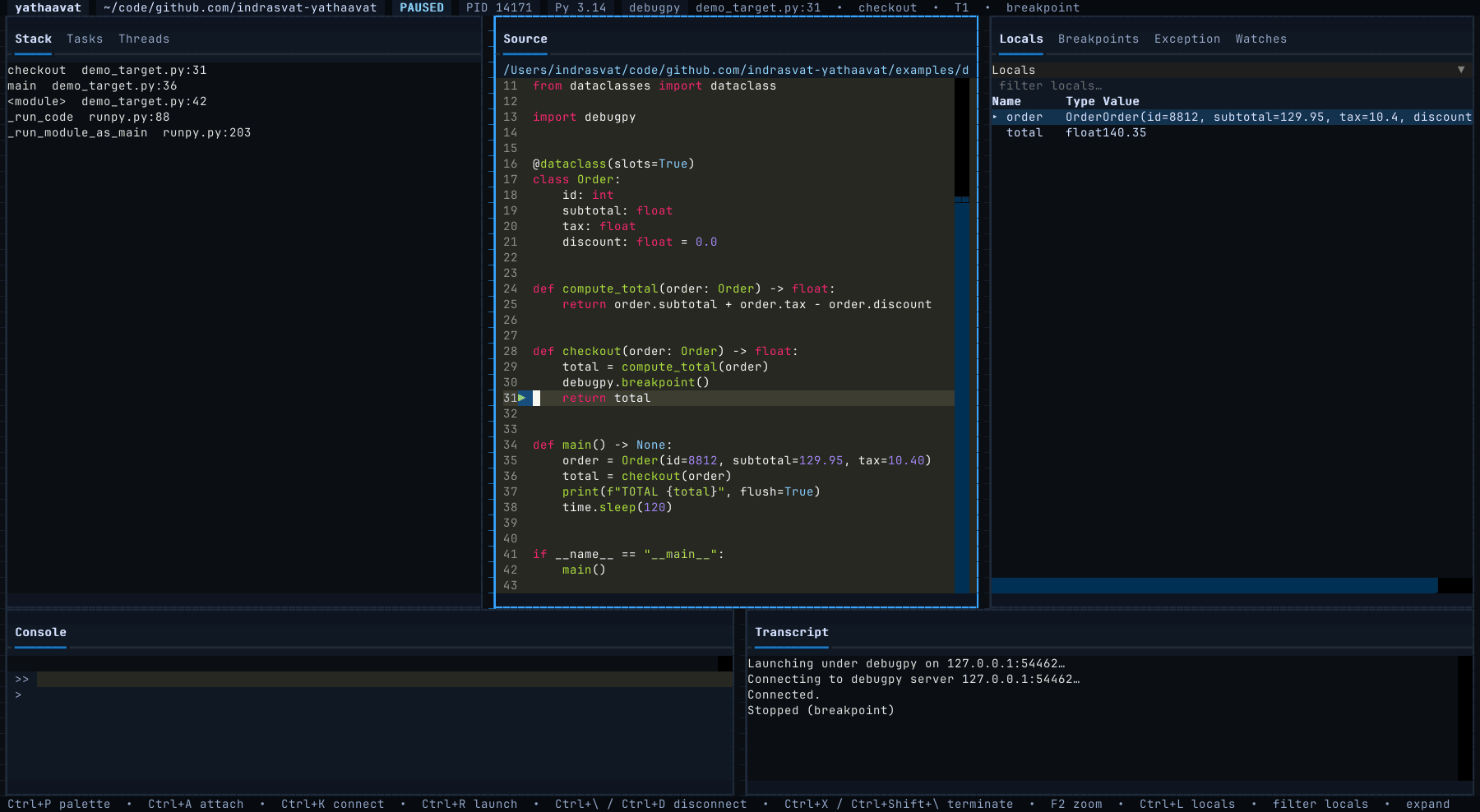
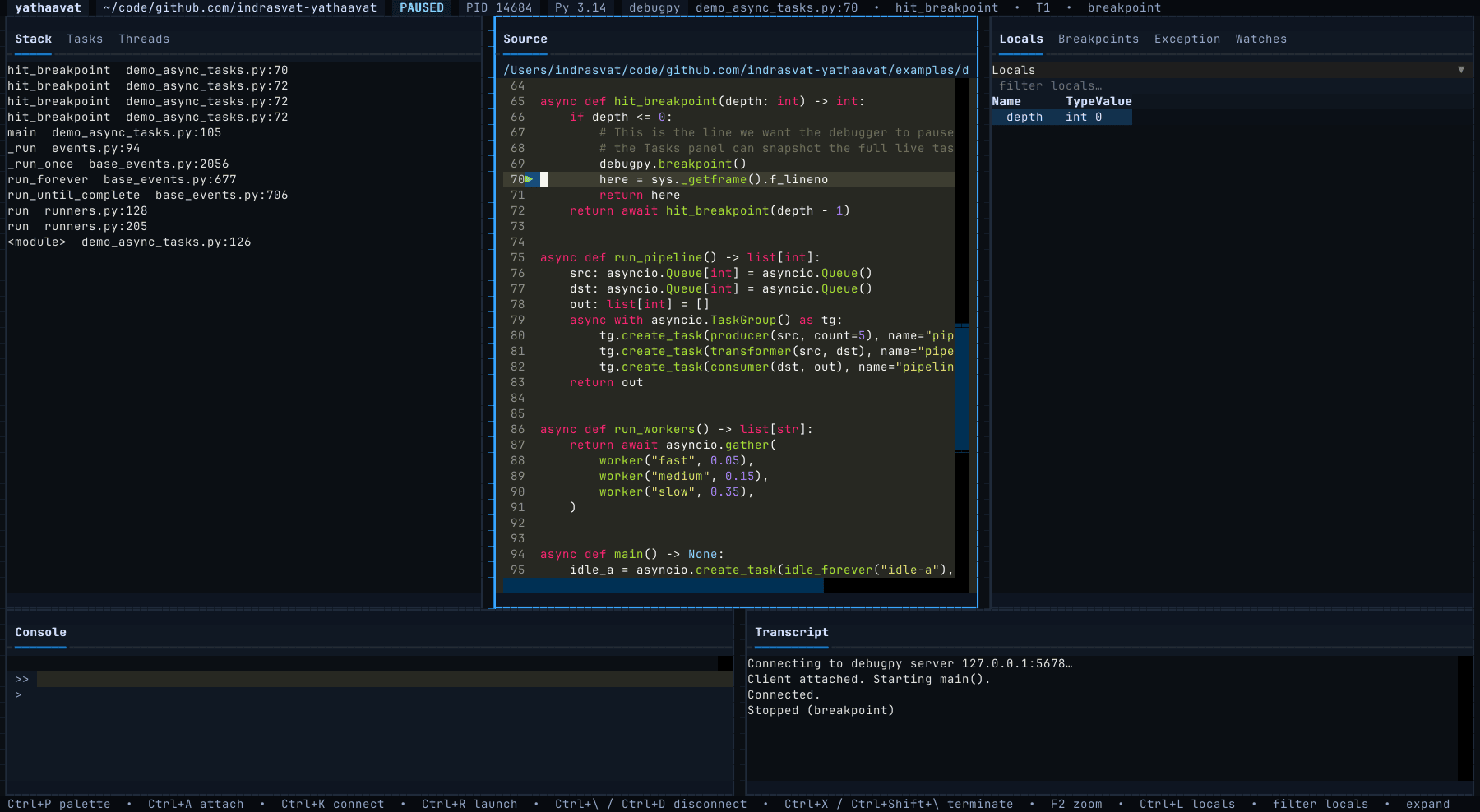
Every frame, and exactly where you are.
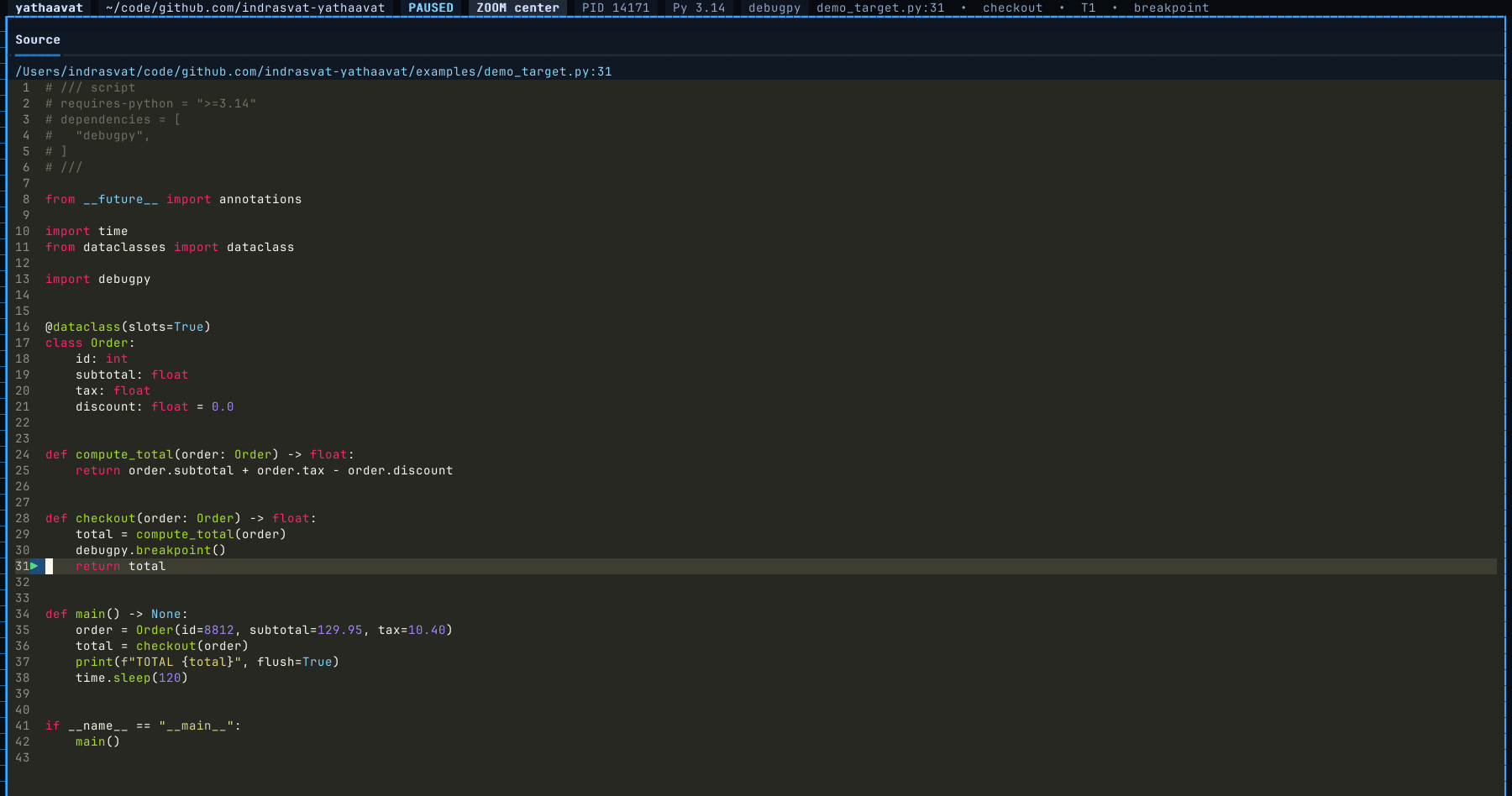
Live gutter markers — ● ▶ — and your current line.
Real values, expanded inline, tracked as they change.
Evaluate any expression, with tab-completion.
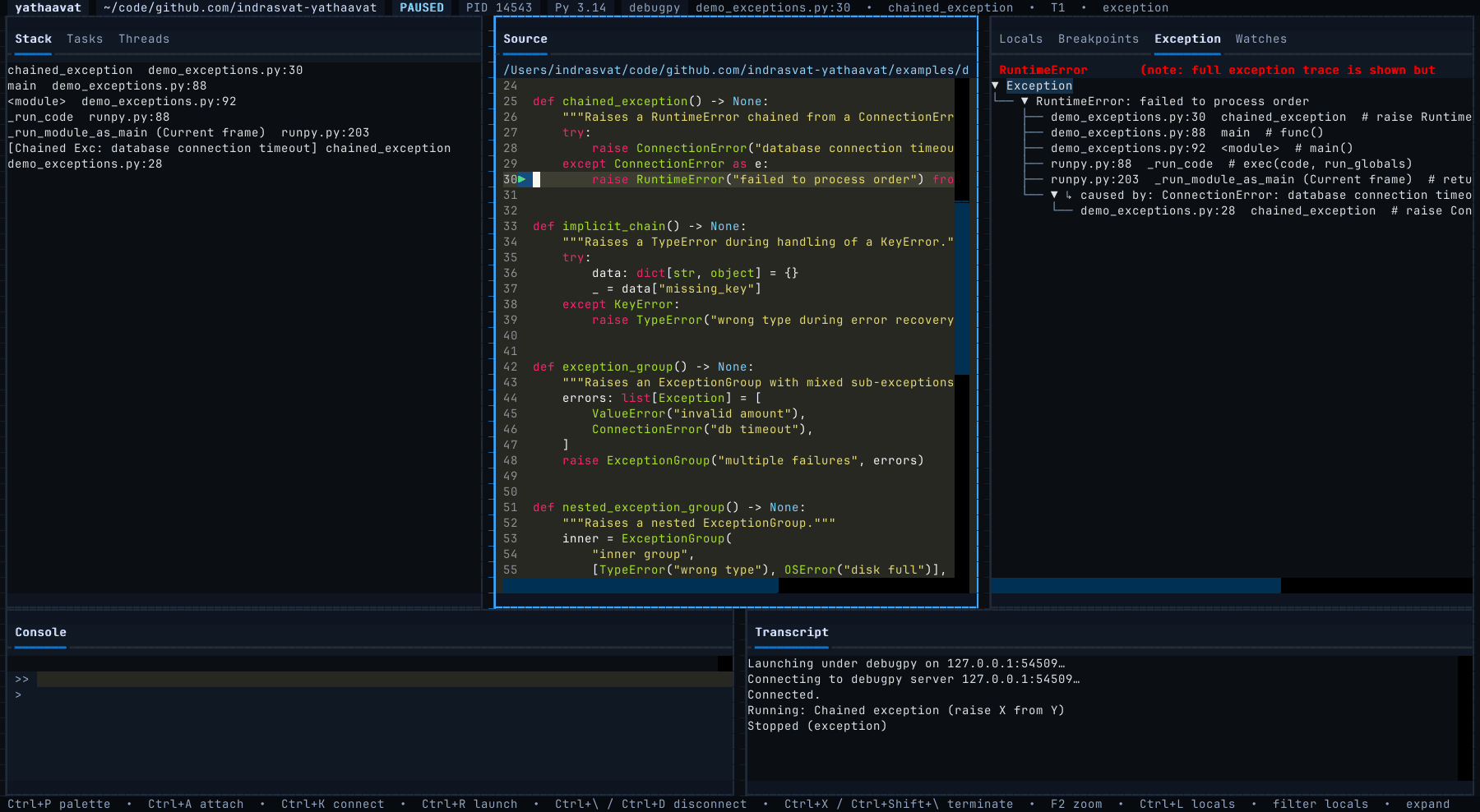
The states that usually send you back to print() — exceptions and async — rendered so you can actually read them.
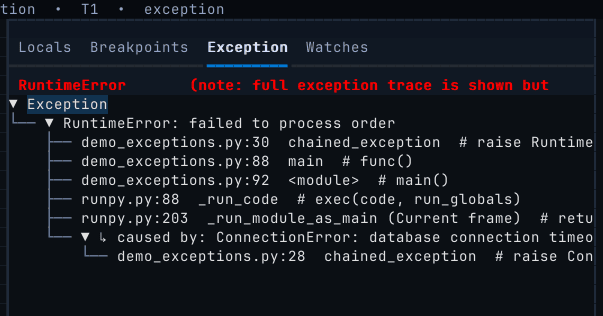
On every exception stop, yathaavat draws the traceback as a tree — chained causes labelled ↳ caused by, full ExceptionGroup support, the failing frame highlighted.
Expand locals and globals inline, watch expressions across steps, and evaluate anything in a console with real DAP tab-completion. Edit a value in place and keep going.

How you steer
Stepping is a transport control, not a menu. Your hands never leave the keyboard — continue, step, run-to-cursor, and you're three frames deeper before a mouse would have found the button.
However the code is running, yathaavat can reach it — with fuzzy discovery and history at every door.
Start any Python file under debugpy. Fuzzy file discovery and ~ expansion get you running in two keystrokes.
Attach to a debugpy endpoint by host and port. The picker scans for live servers so you rarely type an address.
Attach to a live PID. On Python 3.14, attach safely to a process that never imported debugpy.
Why
The truth of a running program shouldn't cost you a GUI you can't SSH into, or a litter of print() you'll forget to delete. yathaavat renders the whole runtime where you already work — no browser, no daemon, no ceremony.
uv, no account requiredNo. Launch any script as-is, connect to a debugpy server, or on Python 3.14 attach to a process that never imported debugpy via safe attach.
Yes. yathaavat is keyboard-first and mouse-optional, designed from the start for remote sessions and split panes.
Python 3.14+ and uv. Install in one line — no PyPI account, no browser, no build step.
pdb shows one line at a time; an IDE debugger needs the IDE. yathaavat gives you the whole frame at once, in the terminal.
MIT-licensed, end to end. Install with uvx --from git+https://github.com/indrasvat/yathaavat yathaavat.
Install yathaavat and watch your next breakpoint exactly as it is.
$curl -fsSL https://yathaavat.pages.dev/install | sh